Stay up to date with the latest updates, features, and improvements.
Playlist sorting simplified
Playlists now have three sort options:
Newest first (default for new playlists) - Episodes are sorted by their publish date with the newest at the first. Episodes will be sorted automatically when added.
Oldest first - Episodes are sorted by their publish date with the oldest first. Great for serial content.
Manual - Episodes are ordered manually by a drag and drop interface.
Existing playlists are set to manual so nothing will have changed from before. You can update to a new sorting order.
Cancellation Events in Subscriber History
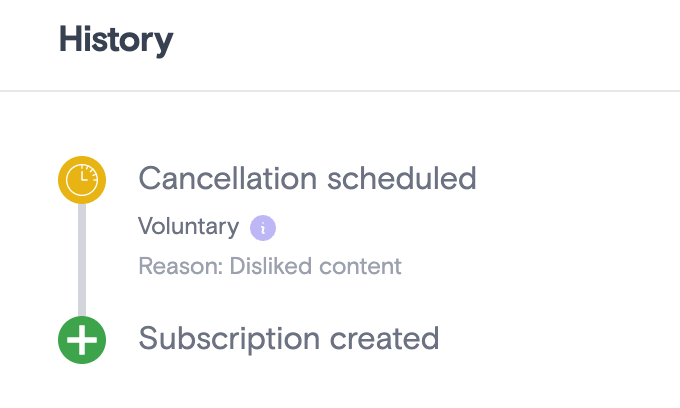
We now show cancellation events in subscriber history pages.
Previously we only showed you when a cancellation took effect at the end of a billing period or after we've stopped retrying payments, but this new event will show when the subscriber decides to cancel and includes new information like:
The reason for the cancellation
Whether the cancellation was voluntary or involuntary
Whether the cancellation was prevented by churn protection tools.
A more focused Community
We have removed episodes from appearing in your Community thread listings.
Supercast MCP Server
We've officially launched a MCP server for Supercast, so you can work with subscribers, episodes, and other information directly from Claude or another AI tool. Find more details and instructions here!
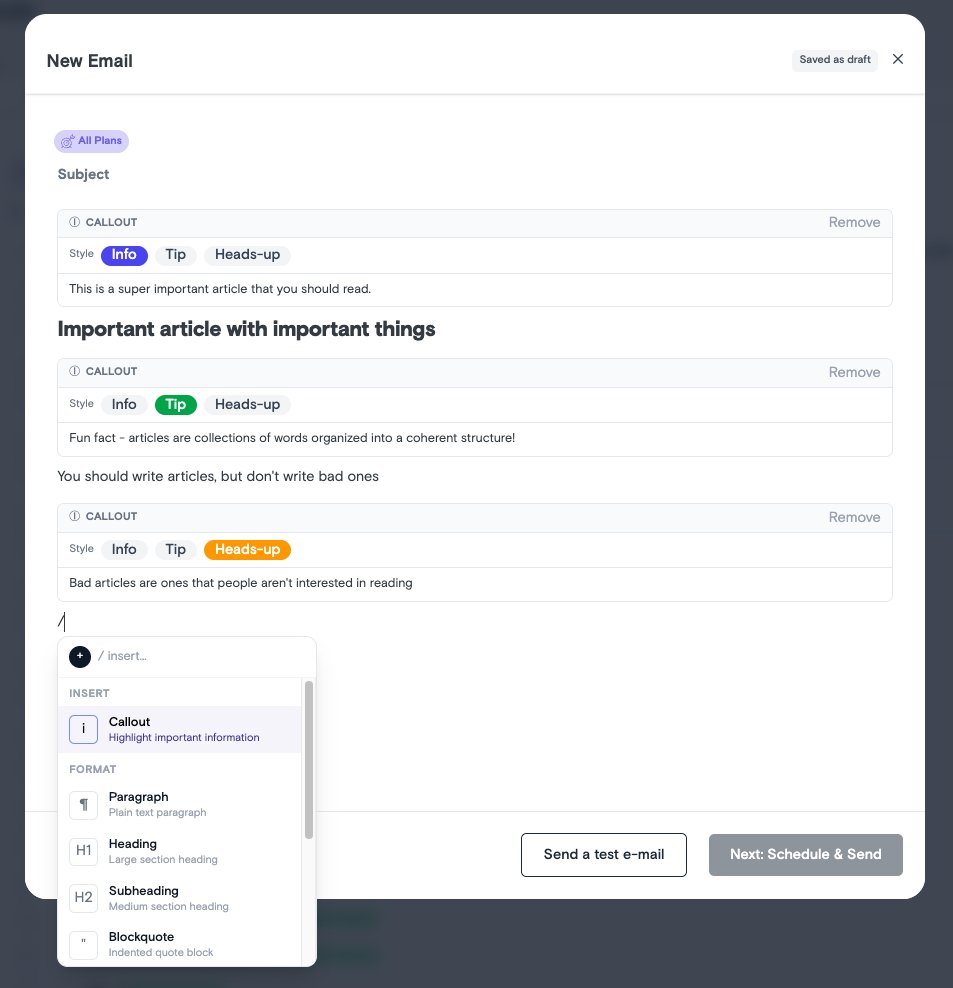
Improved Editor
We've improved the post editor experience!
New improvements:
- Replaced the old "floating menu" with a new slash menu that has a wider variety of components to insert. - Added a new "callout" component to alert subscribers to key details.
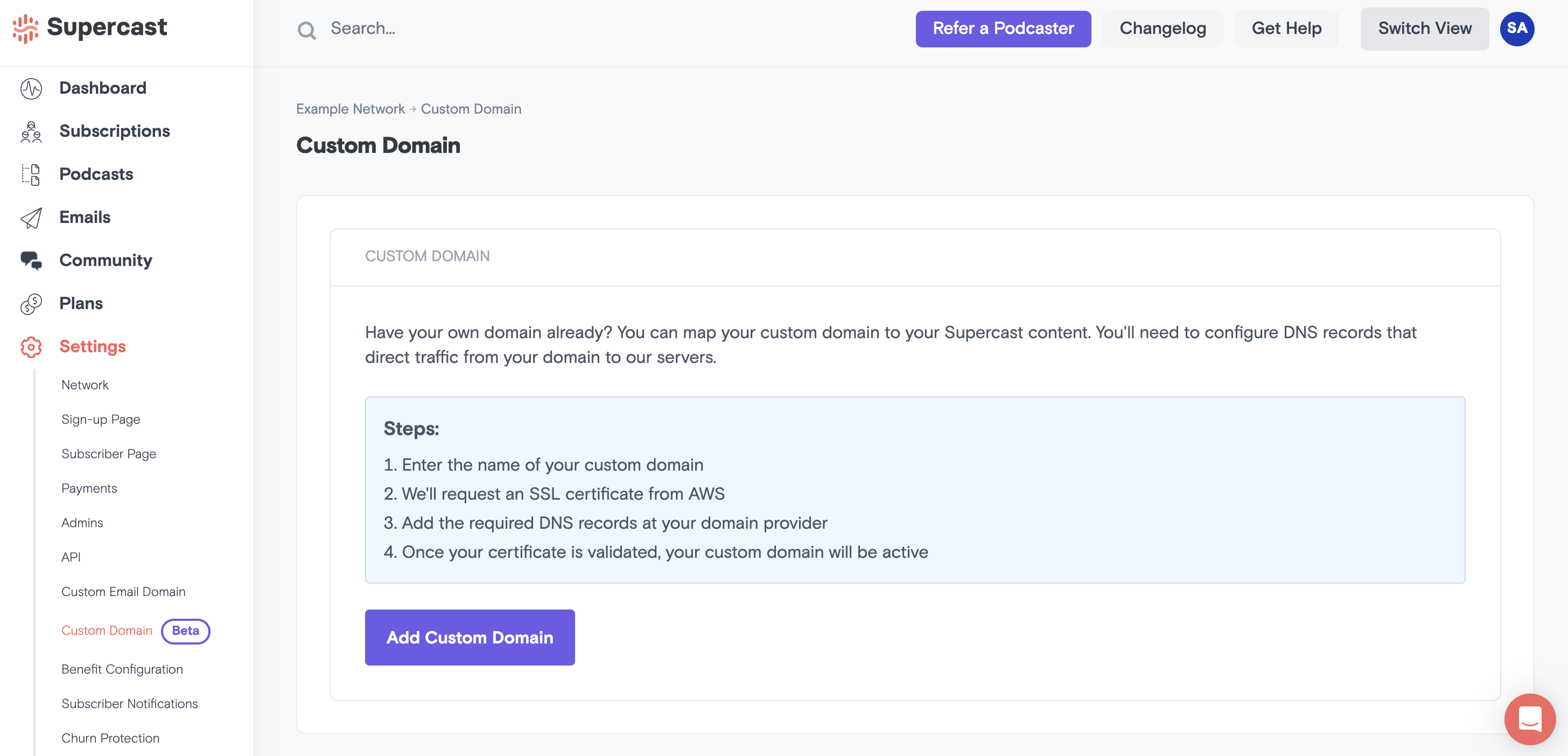
Custom Domains - Host your account anywhere you want!
You can now provide a branded URL to host your Supercast content. Setup is simple: you provide a subdomain of your host site (like premium.yourpodcast.com), add DNS records, and we'll take care of the rest!
Net Revenue Reporting
Net revenue can now be viewed in the revenue section of your dashboard. This represents gross revenue after subtracting Supercast and Stripe fees, and is available from January 2026 onwards.
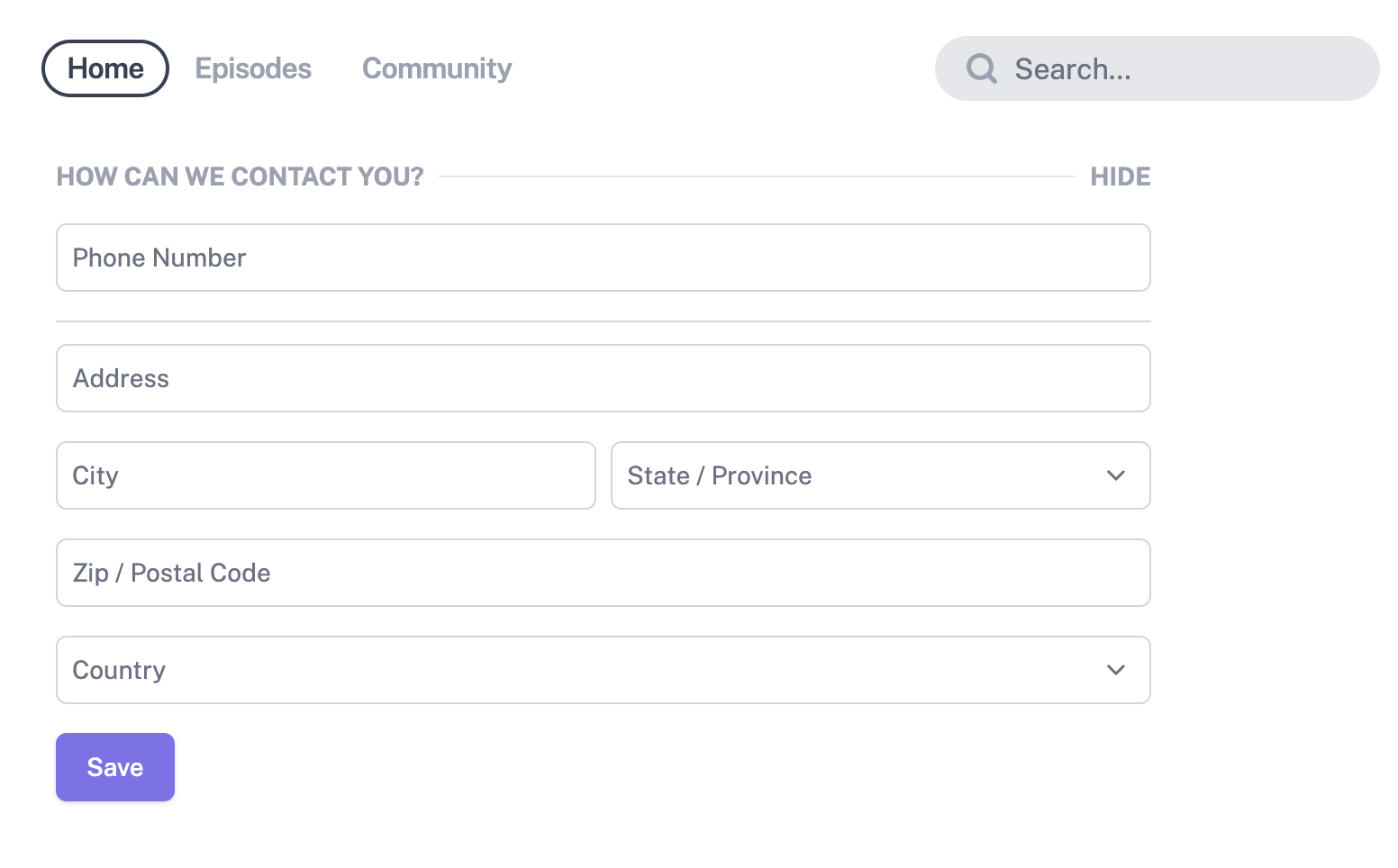
New way to collect subscriber info
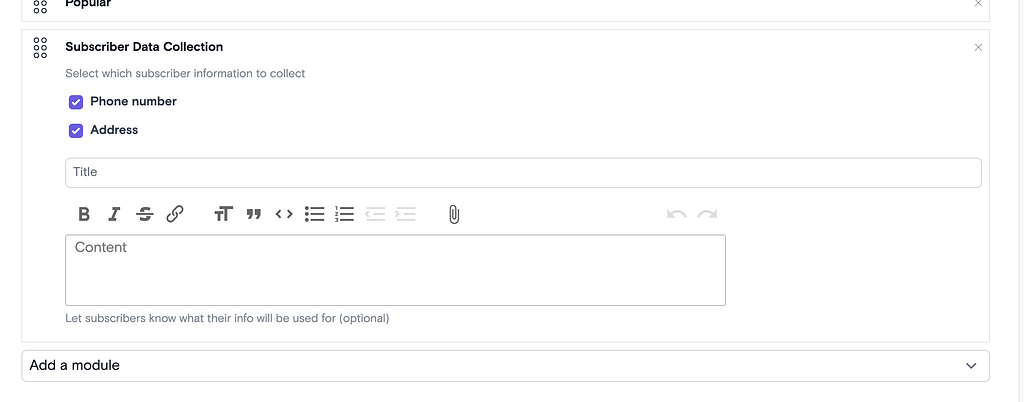
You can now collect phone numbers and addresses by adding a Subscriber Data Collection module to your subscriber homepage. This will appear as a form for subscribers who have not previously submitted their info.
You can set up and customize the module on your Subscriber Page
Submitted data can be found in the CSV export or on a subscriber's page. Users who have submitted information can view or edit it on their profile page.
Community General Availability
Boost Engagement and Reduce Churn: Introducing Community
With the Community tool, your subscribers can connect with you — and each other — between releases, turning your show into an active, always-on space instead of a one-way feed.
Think of Community like a thriving subreddit just for your premium subscribers.
What you can do with Community
💬 Start discussion threadsabout anything and everything
🎙️ Host AMAs - we've made our AMA tool more flexible
📊 Run polls - let subscribers influence your next episode
🗣️ Let subscribers comment, reply and create their own threads
Perfect for post-episode debates, bonus conversations, feedback, and building real relationships with your biggest fans.
Why it matters
Creators who’ve enabled Community are already seeing:
10x increase in engagement
135% increase in comments
More repeat visits to their subscriber dashboard each week
Stronger subscriber habits → higher retention
Here’s How Creators are using Community
💬 Start a welcome thread
Many creators kick things off with a simple welcome post that asks: What do you love? What do you want more of? Why did you subscribe? It’s an easy way to spark conversation and gather insights that shape future content - straight from the listeners who matter most.
📚 Run a low lift book club
We've seen Creators use polls to let subscribers decide on the next book. They post weekly discussion threads tied to specific chapters or themes. It keeps members talking to each other (not just the creator) and drives deep engagement without a ton of extra work.
📎 Extend the experience with resources
One creator pairs subscriber-only episodes with downloadable worksheets, turning each drop into a mini class. They attach PDFs directly to their episode descriptions and explain exactly how to use them alongside the episode — adding structure, accountability, and extra value that goes far beyond audio.
Improved Subscriber Export
We've made several improvements to how subscribers are exported.
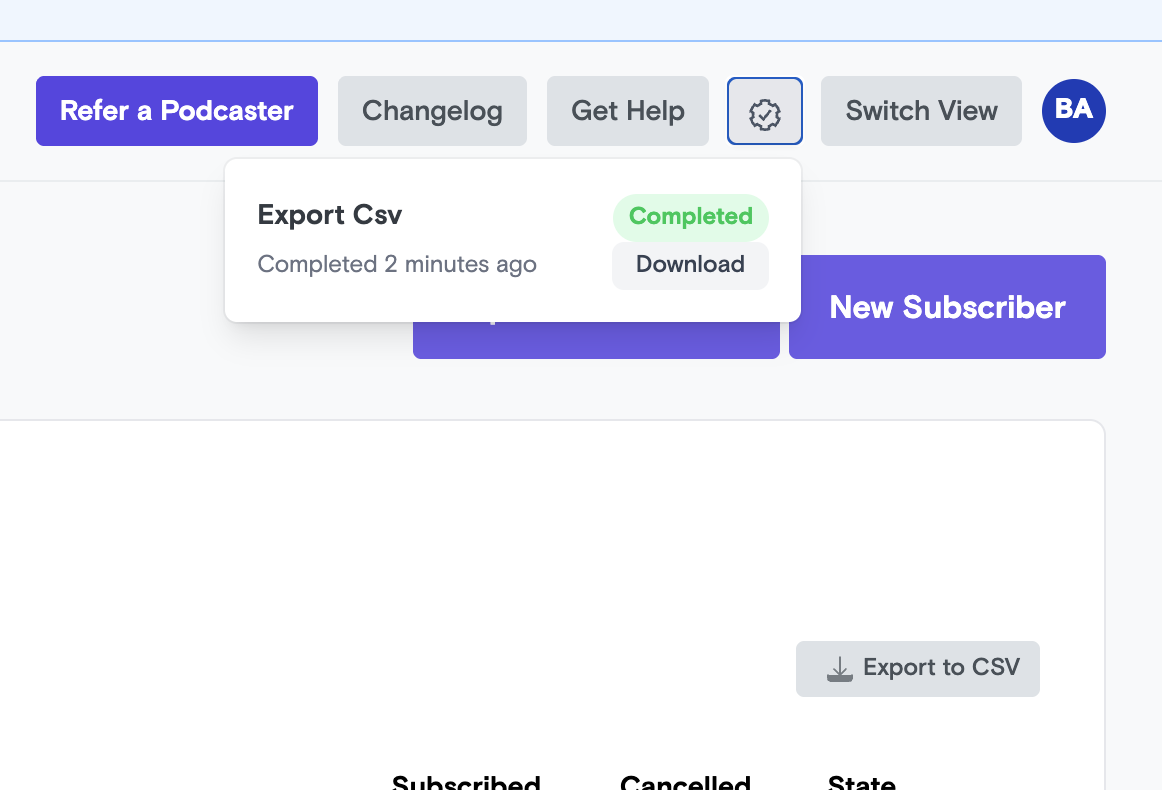
- Issues with errors or excessively slow export times should now be fixed - We now indicate the progress of your subscriber export in the top-right corner "gear" icon. - Once your export is completed, you can now download the results directly from Supercast.
New Notification Settings Page
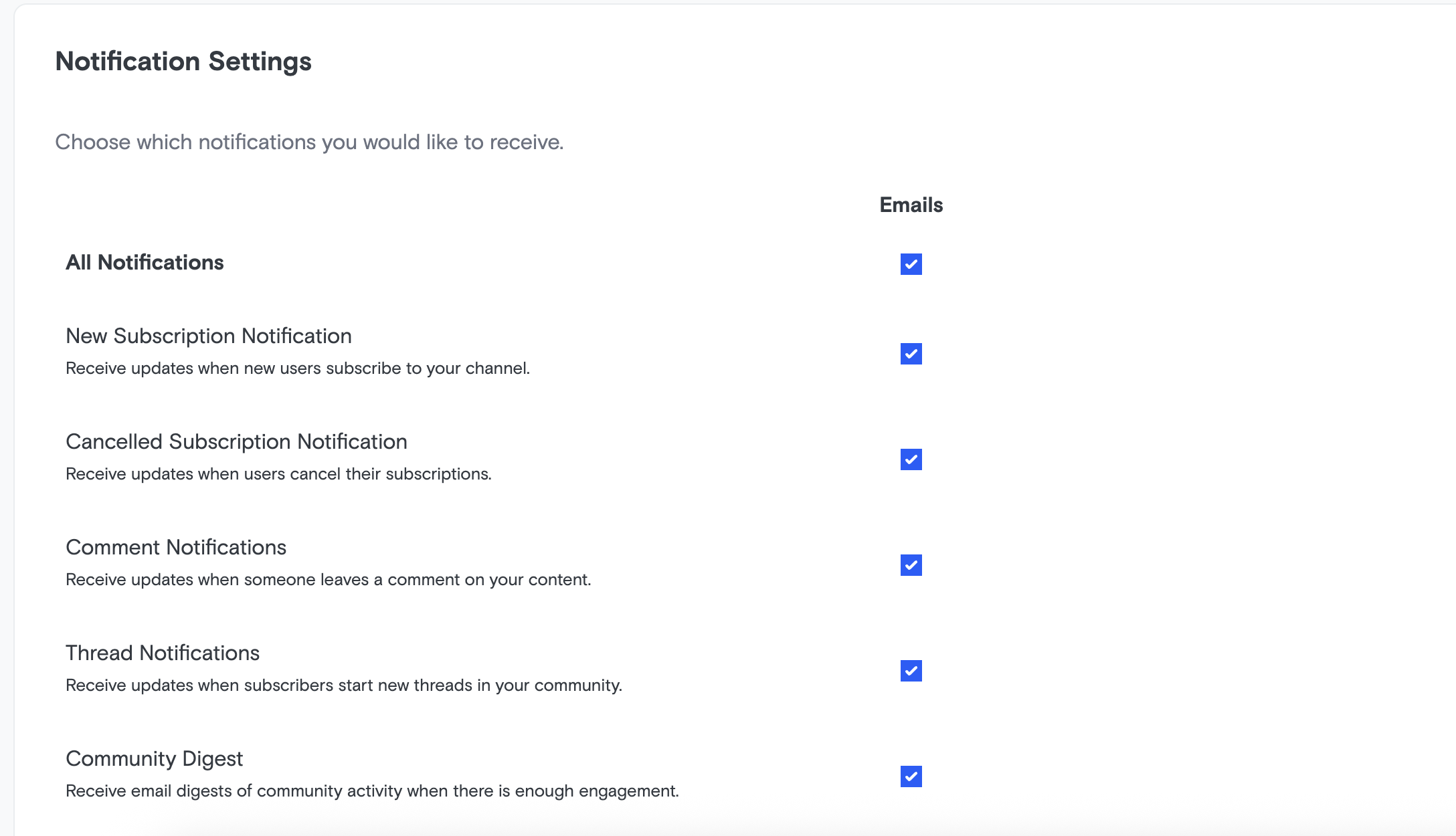
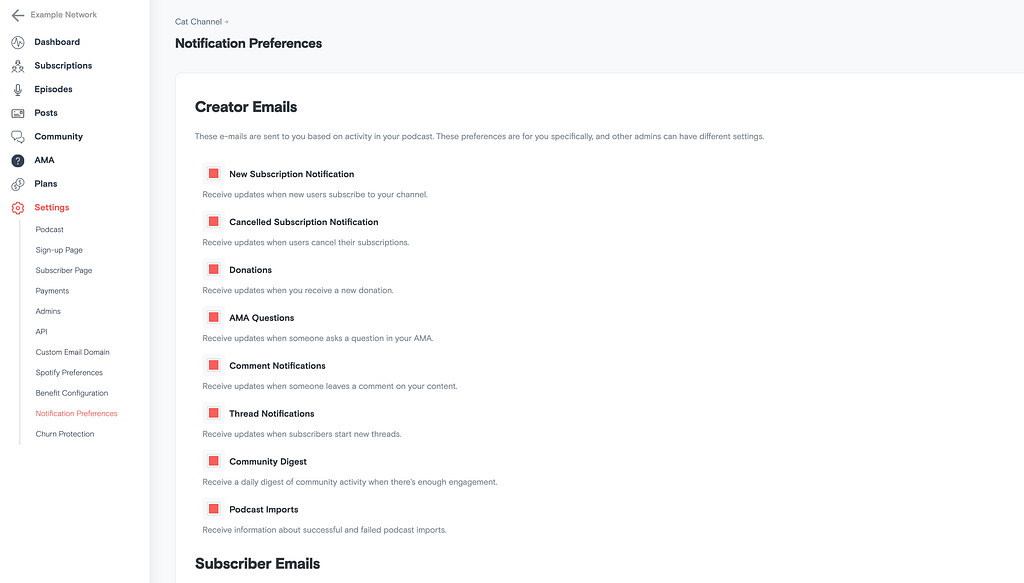
Notification settings have been moved to a new page and are now available for all users! Both creators and subscribers can opt in or out of emails.
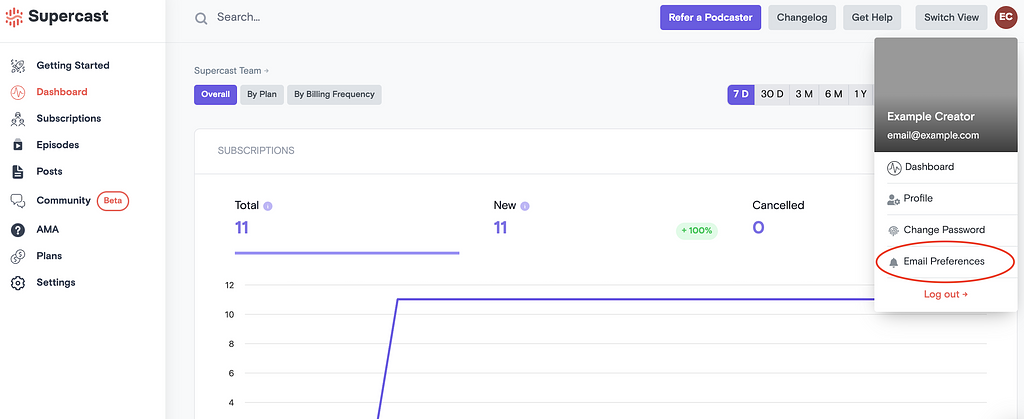
From the creator dashboard, it can be found under Email Preferences
navigating to the new notification preferences page
From the subscriber page, it's under the user menu as Notification Settings.
Note: these settings replace the Creator Emails section of the Notification Preferences page (renamed
Subscriber Notifications):
creator notification settings were previously found here
Highlight creator engagement in Community and Comments
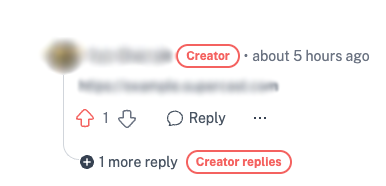
Creators will be highlighted in the comment section and response chains. This is also visible on the community index to make sure subscribers are finding what you are talking about even easier than before.
Keeping subscribers safe in your Community
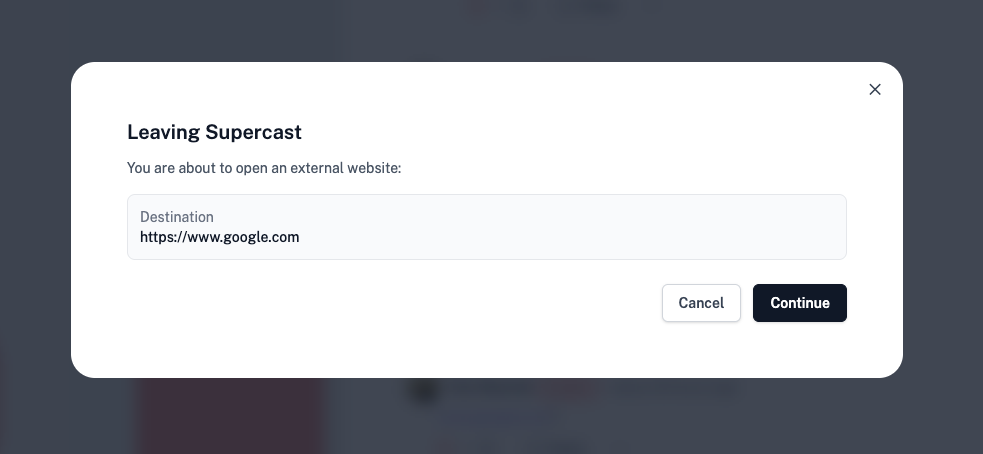
Links posted in threads and comments will warn if targeting an external website.
Upcoming changes to AMA and Posts
AMA will be deprecated and replaced by Community AMA threads at the end of February. Posts will be refocused on email delivery and removed from the subscriber feed experience.
Community will soon become the new home for AMA. To ensure a smooth transition, we’re giving creators time to prepare if they want to continue offering AMA episodes or start offering text only AMAs.
As part of the Community launch in February, Posts are being renamed to Emails and will function accordingly. Emails will retain the same creator interface as Posts, but they will now be used exclusively for sending emails. They will no longer appear as a list of posts in the subscriber app.
Existing posts will remain accessible in the Community tab. Going forward, Community should be used for discussions and ongoing conversations with subscribers, while Emails should be used for announcements or time-sensitive messages.
Playback controls for audio episodes
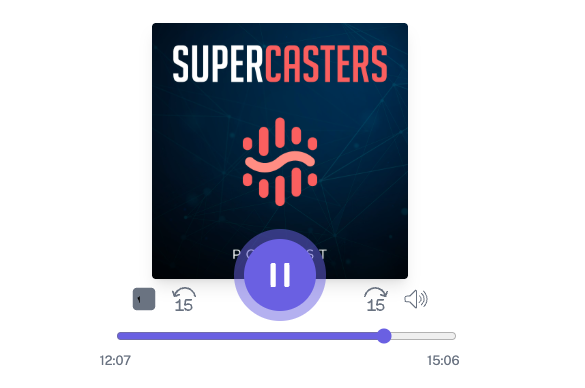
We've added playback controls directly to audio episode pages (in addition to the bottom mini-player)
Community is now in BETA
Community: private discussion spaces for premium subscribers (beta until February 23)
We’ve launched a beta of Community, a private discussion space attached to your premium podcast.
In this beta, you can:
Turn on a community area for your premium subscribers
Create and manage discussion threads for episodes, Q&As, and announcements
Allow subscribers to start their own threads and reply
We’re starting simple so we can learn from how you and your subscribers use it. The beta will run until February 23, ahead of the full Community release planned for late February, which will add features like:
AMAs (Ask Me Anything) for structured Q&A
Polls to quickly take the pulse of your audience
Pinned threads
To get started, turn on Community in your Supercast dashboard and create a welcome thread to introduce the space to your premium subscribers.
DKK Currency Support
We now support Danish creators who charge in DKK.
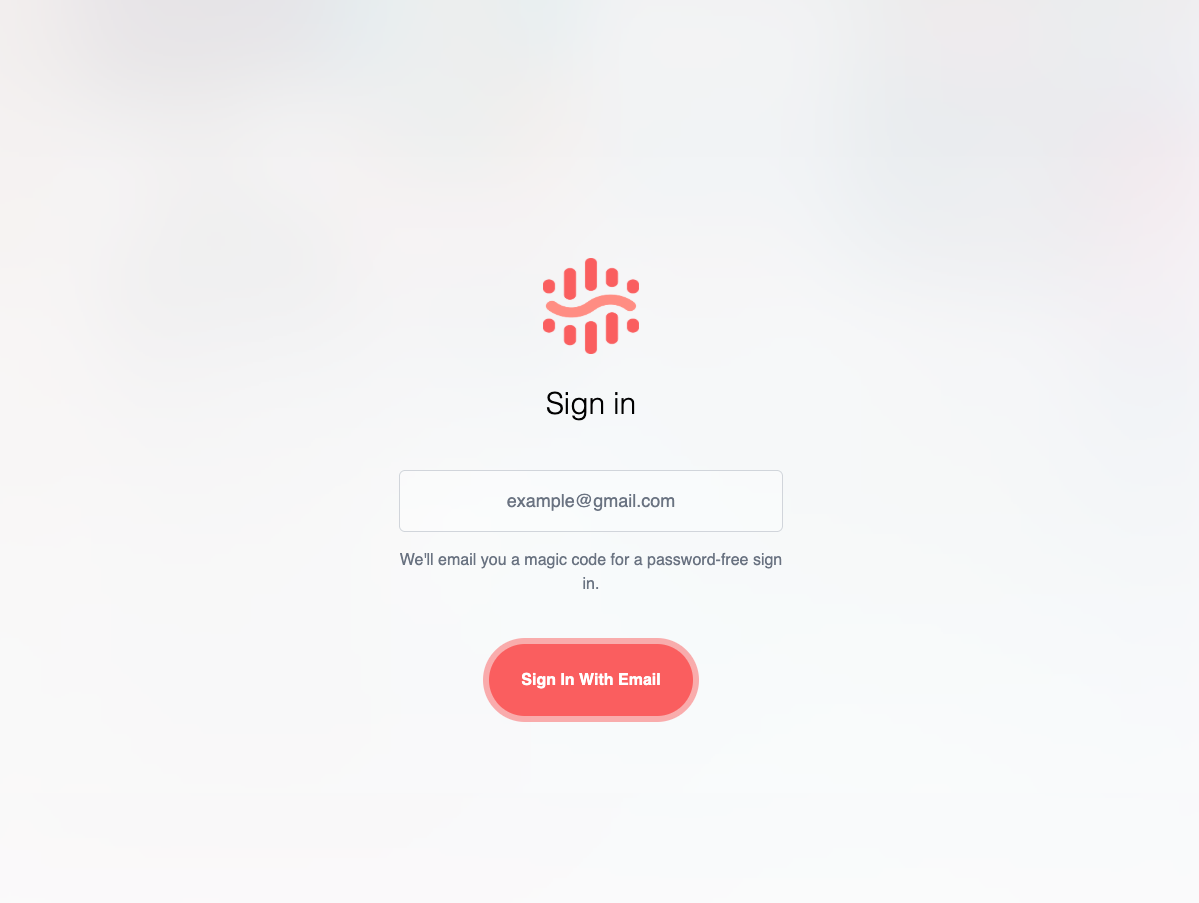
New Login Layout
We've redesigned the login page for a more mobile-friendly, cleaner UI.
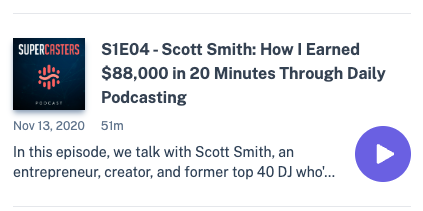
New episode layout
Over the coming weeks, we'll be refreshing and updating the subscriber UI. Our first change is a refresh of how we list episodes.
Apply promotions in bulk with "Apply Promotion" bulk action
Want to give your subscribers a discount without needing them to sign up for a promotion themselves? You can now apply promotions to groups of subscribers.
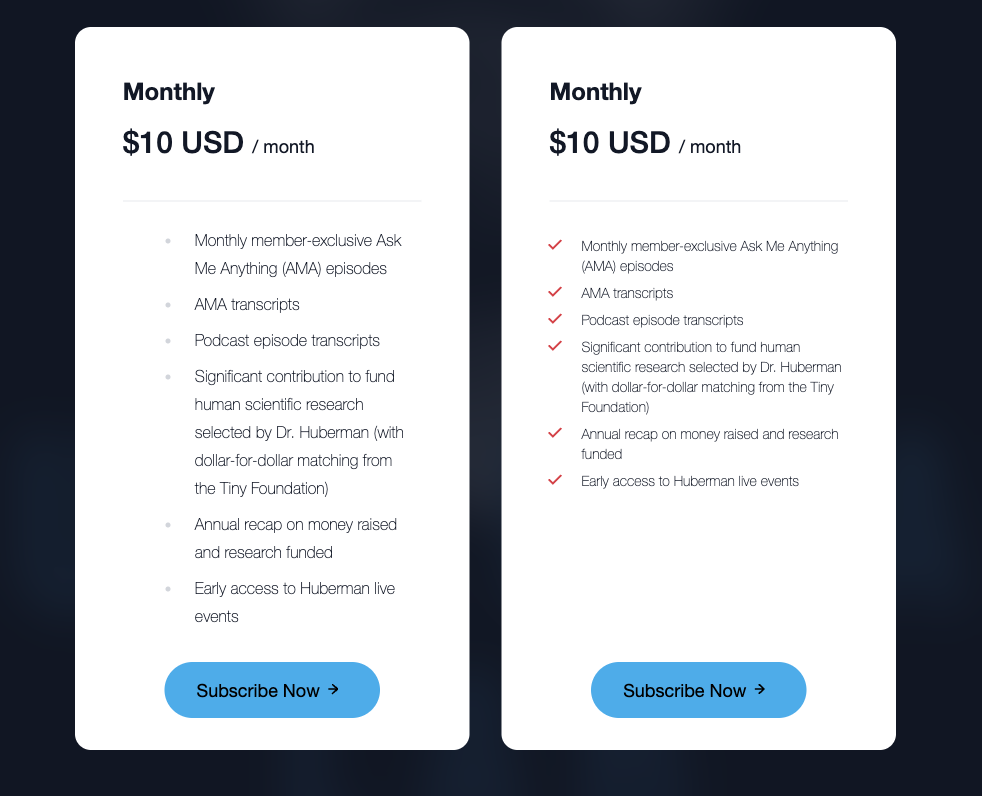
We've improved the styling of plan descriptions on landing pages to improve spacing and information density.
Comments are a little bit better!
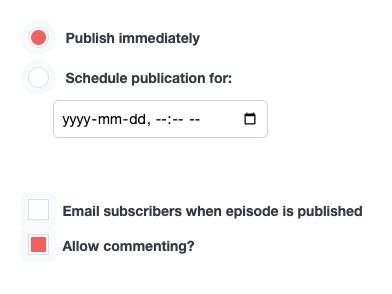
We've added the ability to turn off comments for individual episodes and posts as well as added notifications to keep everyone informed of comment section action.
Creators will be notified when a top-level comment is left on an episode or post, or when one of their own comments gets a reply. This can be disabled in notification preferences.
Streamlined Spotify Subscription Flow
Spotify users can now subscribe to your private feed through a more direct, efficient process—getting them subscribed in Supercast and back to enjoying content on Spotify faster than ever.
Listeners attempting to unlock content on Spotify are directed to a simplified landing page specifically designed for quicker, easier sign ups.
After subscribing, users are automatically returned to the Spotify app where they can immediately access their newly unlocked content.
This streamlined landing page is also available for general use at <yourdomain>.supercast.com/subscribe.
New Release Notes site
Welcome to our new release notes!
We've heard you - staying on top of updates to Supercast is important to you, and we want to give you better tools to do that. Our new Release notes site allows you to sign up for e-mail notifications, and we'll be expanding functionality in the coming weeks to give you more ways to stay on top of what's happening with Supercast.
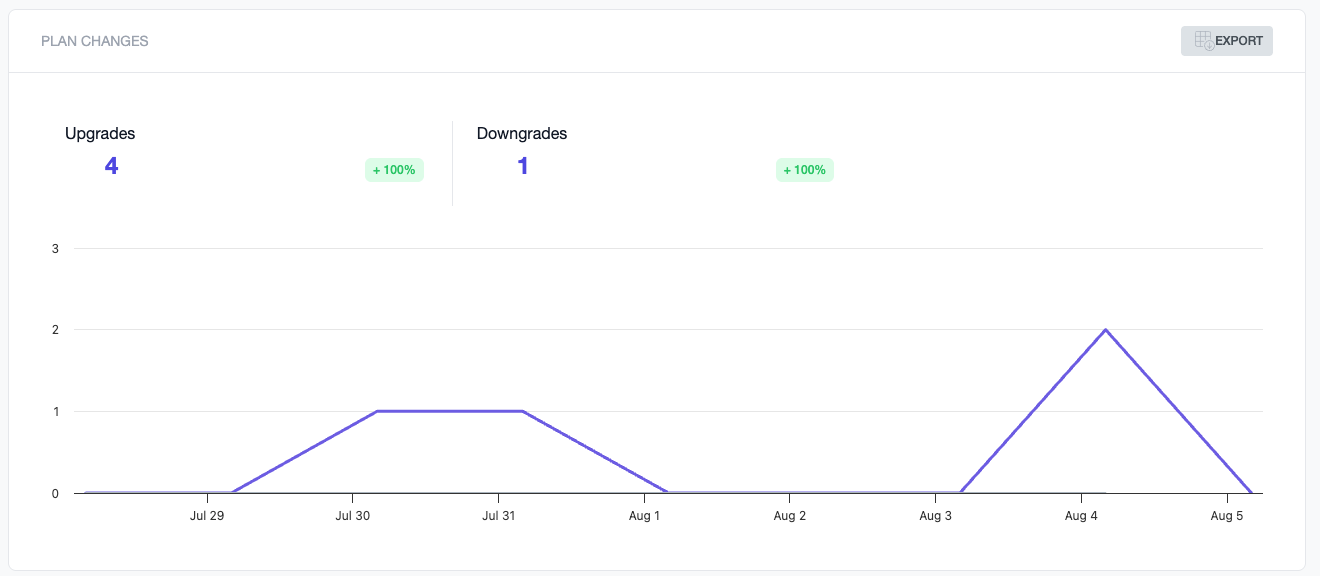
Upgrade / Downgrade Reporting
Stay on top of how your existing subscribers are changing their support.
Upgrade / downgrade reporting is now available from the Supercast dashboard. Upgrades are changes from one plan to another of a higher value, downgrades are the opposite. Changing between monthly/annual pricing of the same plan is not considered on the graphs.
You can export the data with more information for custom reporting needs.
Subscriber Updates
Subscribers can now upgrade to cross-sold plans (i.e. individual podcast subscribers can change to a cross-sold network plan)
Background Actions and Improved Table Navigation
We’ve made big improvements to how you work with Subscribers, Episodes, and Posts in Supercast!
Background Actions
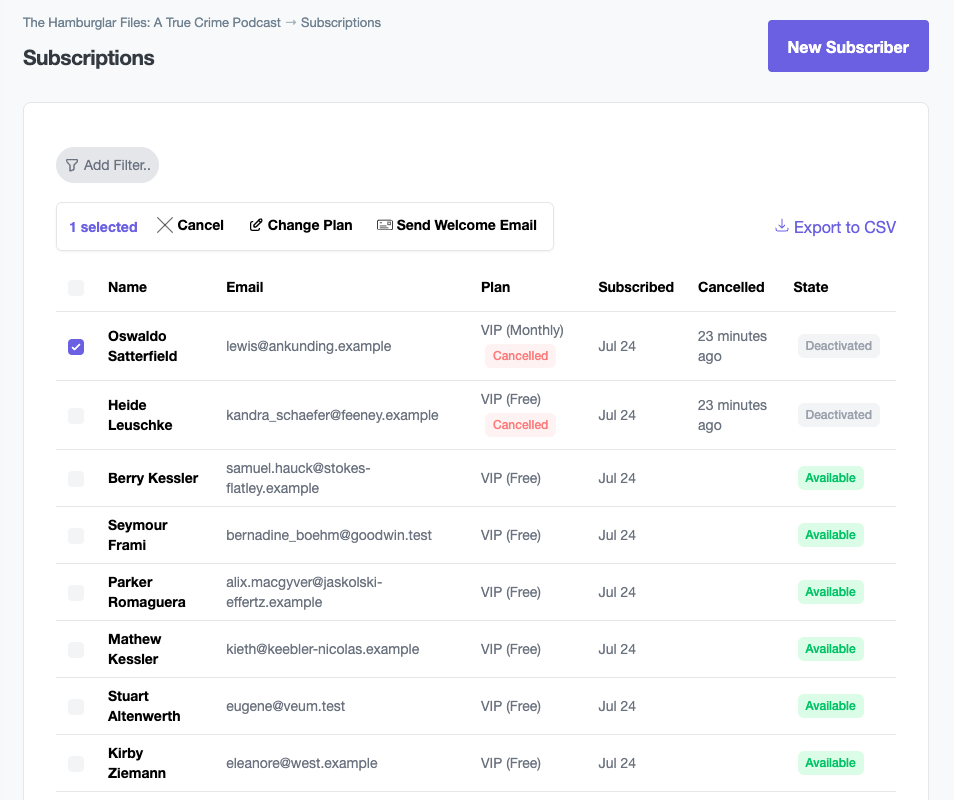
You can now make changes to multiple records at once! Need to make sweeping targeting changes, or add a series of episodes to a playlist? You can now do it in just a few clicks. Just check off the items that you want, or “all items”, and choose what you’d like to do with those records.
We’ll be slowly rolling out new actions as we watch how the launch goes - but if you have any suggestions, please let us know!
Improved Filters
The filter UI has been improved to accomodate more filters and improve the mobile experience.
Live Updates
Subscriber, Episode, and Post lists will now auto-refresh as data changes and new records are added.